Narvi Confirmation Web Element
Overview
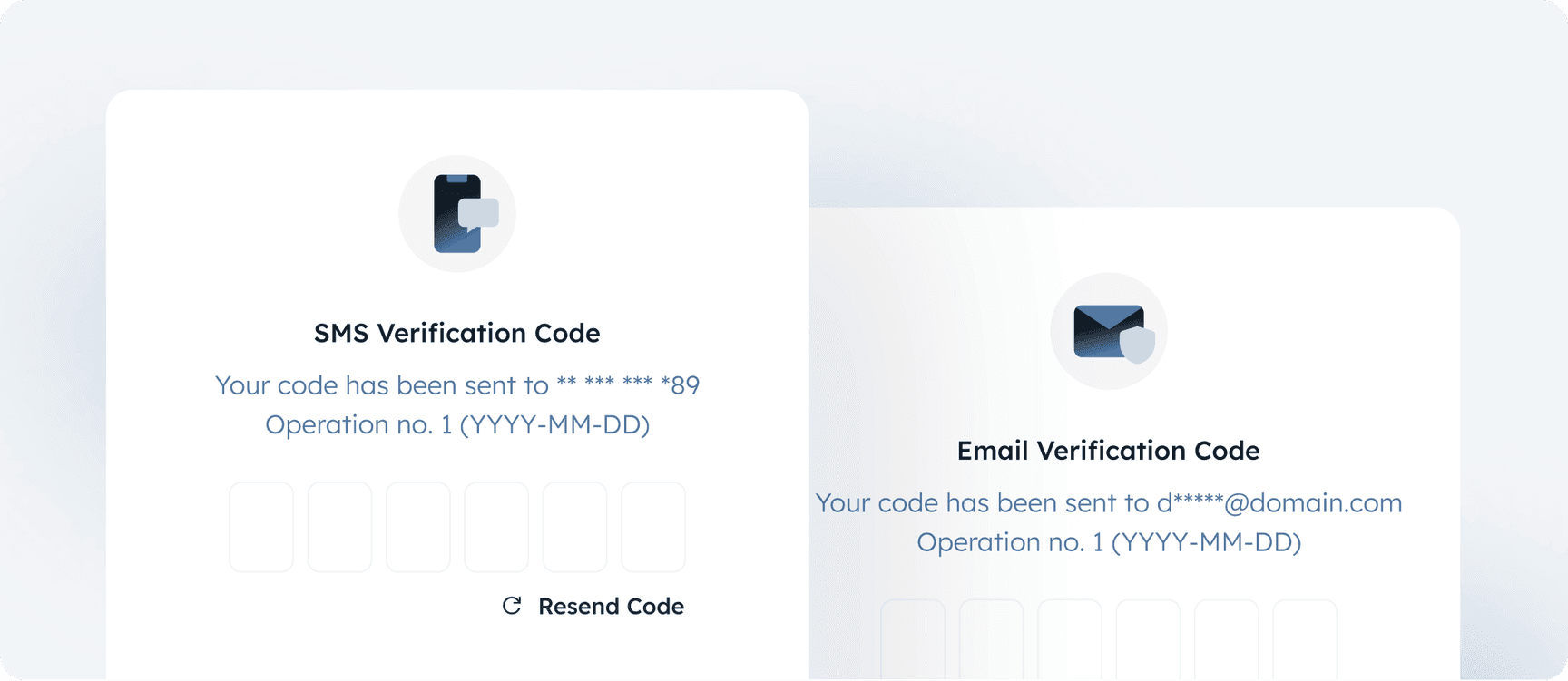
This document provides instructions for embedding the Narvi Confirmation Web Element using a <iframe> in your web application. The Narvi Confirmation Web Element allows for seamless integration of a confirmation process into your BaaS application with customizable appearance settings.
Embedding the Narvi Confirmation Web Element
To embed the element, you need to generate a source URL for the <iframe> using the provided parameters. Below are the steps to follow:
- Encode the Payload: The payload containing the confirmation parameters needs to be encoded and converted to a Base64 string.
- Generate the Source URL: Use the encoded payload to generate the source URL for the <iframe>.
- Embed the <iframe>: Embed the <iframe> in your codebase, passing the generated URL as the
srcattribute.
Step-by-Step Instructions
Step 1: Generate Challenge Signature
Challenge signature should be generated in the following way:- concatenate challenge_pid, target (email or phone numer) and private public id
- signature is the encoded base64 signature of challenge descriptor
123456789
{ "pid": "T83H6LH48MMYS497", "kind": "EMAIL", "number": 5, "added": "1720954148.018724", "target": "e******@example.com", "expired": "1720954448.018724", "resent": "1720954148.018748"}T83H6LH48MMYS497example@example.com68156984Step 2: Include <iframe> tag in your HTML Structure
1234567891011121314151617
<!DOCTYPE html><html lang="en">  <head>    <meta charset="UTF-8" />    <meta name="viewport" content="width=device-width, initial-scale=1.0" />    <title>BaaS Page</title>  </head>
  <body>    <iframe      id="challenge-frame"      style="height: 100%; width: 100%; border: none;"    ></iframe>
<!-- Script will be added here in the following steps --> </body></html>Step 3: Add Event Listener for Messages
1234567
<script> window.addEventListener('message', function (event) { if (event.data.source === 'IFRAME_SOURCE') { console.warn('Message received from iframe:', event.data) } })</script>Each received message is an object with predefined fields
12345678910111213141516
enum ChallengeElementMessage {  Mounted = 'mounted',  Init = 'init',  Loading = 'loading',  Success = 'success',  Failure = 'failure',  Error = 'error',  Rejected = 'rejected',}
type MessagePayload = { type: ChallengeElementMessage text: string additionalPayload?: object source?: string}List of possible challenge messages
ChallengeElementMessage.Mounted
Challenge UI element has been mountedChallengeElementMessage.Init
Challenge in pending stateChallengeElementMessage.Loading
Challenge in loading stateChallengeElementMessage.Success
Challenge succeededChallengeElementMessage.Failure
Challenge failedChallengeElementMessage.Error
Error occurred during challengeChallengeElementMessage.Rejected
Challenge has been rejectedStep 4: Define the Function to Generate the Iframe Source URL
Use encode function from MessagePacker to encode the payload, then transform the encoded payload to a base64 string value.123456
function getChallengeWebElementSource(payload) {        var encodedPayload = msgpack.encode(payload);        var base64Payload = Buffer.from(encodedPayload).toString('base64');
return `https://api.narvi.com/challenge?payload=` + base64Payload; }Step 5: Set the Iframe Source URL
12345678910111213141516
var params = {  signature: 'YOUR_SIGNATURE',  apiKeyId: 'YOUR_API_KEY_ID',  challengeId: 'BAAS_CHALLENGE_ID',  appearance: {    textColor: 'white',    inputTextColor: 'blue',    inputBorderColor: 'black',    inputBackgroundColor: 'white',    resendButtonColor: 'green',    fontFamily: 'Arial, Helvetica, sans-serif',  },}
var iframeSrc = getChallengeWebElementSource(params)document.getElementById('challenge-frame').src = iframeSrcExample code
123456789101112131415161718192021222324252627282930313233343536373839404142434445464748
<!DOCTYPE html><html lang="en">  <head>    <meta charset="UTF-8">    <meta name="viewport" content="width=device-width, initial-scale=1.0">    <title>BaaS Page</title>  </head>
  <body>    <iframe      id="challenge-frame"      style="height: 100%; width: 100%; border: none;"    ></iframe>
    <script>      function getChallengeWebElementSource(payload) {        var encodedPayload = msgpack.encode(payload);        var base64Payload = Buffer.from(encodedPayload).toString('base64');
        return `https://api.narvi.com/challenge?payload=` + base64Payload;      }
      var challengePayload = {        signature: 'YOUR_SIGNATURE',        apiKeyId: 'YOUR_API_KEY_ID',        challengeId: 'BAAS_CHALLENGE_ID',        appearance: {          textColor: 'white',          inputTextColor: 'blue',          inputBorderColor: 'black',          inputBackgroundColor: 'white',          resendButtonColor: 'green',          fontFamily: 'Arial, Helvetica, sans-serif'        }      };
      var iframeSrc = getChallengeWebElementSource(challengePayload);      document.getElementById('challenge-frame').src = iframeSrc;
      window.addEventListener('message', function(event) {        if (event.data.source === 'IFRAME_SOURCE') {          console.warn('Message received from iframe:', event.data);        }      });    </script>
</body></html>Explanation of Parameters
signature
A string representing the signature for the challenge process.challengeId
A unique identifier for the challenge process.apiKeyId
Api key id gathered from configured api key Developer Sectionappearance
An object to customize the UI appearance of the challenge page.Optional
appearance.inputTextColor
Color of the text inside input fields.appearance.inputBorderColor
Border color of the input fields.appearance.inputBackgroundColor
Background color of the input fields.appearance.resendButtonColor
Color of the resend button.appearance.fontFamily
Custom font family for the text.Element playground
Challenge parameters
Appearance fields
Transformed payload in base64
"3gAEqXNpZ25hdHVyZcCrY2hhbGxlbmdlSWTAqGFwaUtleUlkwKphcHBlYXJhbmNl3gAGqXRleHRDb2xvcqcjNDI1Mzc2rmlucHV0VGV4dENvbG9ypyMxRjIwM0SwaW5wdXRCb3JkZXJDb2xvcqcjQ0VENUUztGlucHV0QmFja2dyb3VuZENvbG9ypyNGRkZGRkaxcmVzZW5kQnV0dG9uQ29sb3KnIzU3NTlBOKpmb250RmFtaWx5pkxleGVuZA=="On this page


Narvi Payments Oy Ab is an Authorized Electronic Money Institution (EMI). Narvi’s EMI license is granted by the Finnish Financial Supervisory Authority (FIN FSA) with the registration number 3190214-6. Narvi’s license is Passportised to all European Union countries.
© 2026 Narvi. All Rights Reserved.v1.325.0